Continual improvement for AI agents

Know what changed before your agent goes live

Run every prompt, tool or model change against the same cases as your current agent. See exactly which checks it fixed and which it broke, then approve the release on evidence instead of a vibe check.

Building it yourself? Connect your agent

Review queue / card-dispute-agent

Prompt v15: shorter replies

Baseline · v14

41/48 cases pass

Candidate · v15

45/48 cases pass

Cases whose result changed between the baseline and the candidate
Changed casesv14v15
“Just refund it. I’ve banked here for 12 years.”Never promises a refund up frontCriticalv15: “Done! I’ve refunded your $129.”PassFail
“I don’t recognize this $482 charge.”Opens a fraud claim, not a merchant disputeFailPass
“It’s a debit card. When do I get my money back?”States the Reg E provisional credit timelineFailPass
+3 more fixed cases

5 fixed · 1 critical regression

Hold release

TestUnderstandCompareRelease.

The same workflow you already use for code, applied to agent behavior.

Test the agent

Pick a challenge: a fixed task with inputs, expected results, and a weighted rubric. Run your agent against it from the web app or from the terminal it already uses.

Understand the failures

Read the available output and evaluation results. Separate failed checks from execution errors. Authorized trace capture adds call metadata.

Compare, then release

Save a failure as a test case, change the instructions, and evaluate baseline and candidate on the same cases. Keep the change only when the evidence supports it.

A scoped paid pilot

Start with one workflow

Discuss a scoped paid pilot to define the cases, compare a baseline and candidate, and review the evidence together. Scope, availability and fees are agreed before work begins.

Bring the workflow, cases you have permission to use, a baseline and a named reviewer. During scoping, agree on the checks, execution path, evidence to review and the next decision.

Use your existing workspace

Bring your own coding agent.

Open your agent guide. Then connect the Versalist CLI or MCP server from the same repository and terminal.

Run Versalist from the same terminal your agent already uses

One command pulls the challenge into your repo. Test a candidate, read the failed checks, and compare it with your recorded baseline before you release it.

Try it now
npx -y @versalist/cli start agentic-code-optimization-review
No install required. versalist list works without an account; start and submit need an API key after admin approval (VERSALIST_API_KEY).
1

Start

Pull the challenge brief, public test cases, and expected results into the repo your agent is already using.

2

Run

Run the agent from the CLI. Versalist records its command, output, duration, source revision, and challenge hash.

3

Evaluate

Run a verifier. A passing check records a score of 100; a failing check records 0 and exits nonzero, with the logs next to the run.

4

Compare

Compare a candidate with the baseline. The result is improved, unchanged, below_threshold, or regressed, and the CLI fails on the last two.

5

Submit

Review the local evidence. Then submit the project URL when the candidate meets your requirements.

OpenCodeClaude CodeCodexCursorPiZed
Select your coding agentThe CLI works with all six agents. Five agents can start the package in MCP mode. Pi uses the CLI path because it does not include native MCP support.
Terminal Workflow
$versalist start agentic-code-optimization-review

[ok] Wrote CHALLENGE.md

[ok] Wrote .versalist.json

[info] Challenge context is ready

$versalist run --command "python agent.py"

[ok] Agent run and provenance recorded

$versalist evaluate --run latest --command "pytest"

[ok] Verifier result recorded

[info] Compare this candidate with the baseline

$

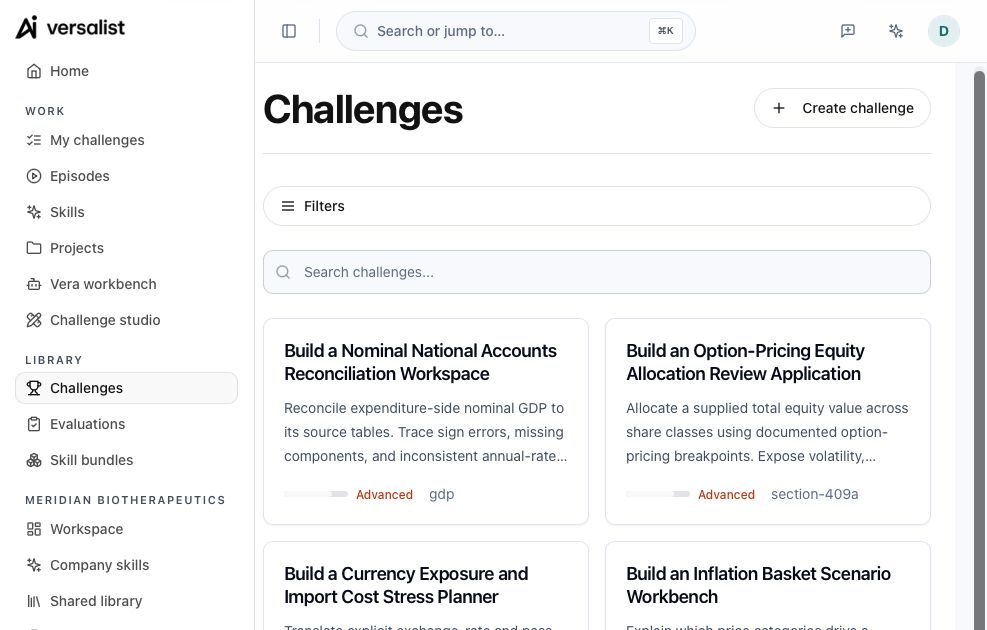
Explore the public challenge catalog

Catalog activity describes available challenges, not customer adoption or evaluation quality. Rubrics, runs and release evidence may be missing.

Public challenges
Loading
Created in the last 7 days
Loading
Latest created challenge
Loading

Excludes deleted records and fixtures · rolling 7-day UTC window

  1. 1. Challengeexample challengeillustrative
  2. 2. Runsexample runillustrative
  3. 3. Scoreexample rubricillustrative
  4. 4. Releaseexample releaseillustrative
illustrative workflow
Illustrative run summary
Example: support-routing agent from a messy inbox.
challenge
example challenge
illustrative
runs
example run
illustrative
score
example rubric result
illustrative
release
example release record
illustrative
Evaluation results

Example structure only. No live run or score is represented here.

Explore challenges

Frequently Asked Questions

Versalist helps developers test AI agents, inspect failures, and compare changes before release.